Why Historical Price Data Matters When Buying Property in Mexico
I'll be honest with you. Most people buying property in Mexico are flying blind.
They see a listing, like the neighborhood, and trust whatever the agent tells them about "market prices". That's how you overpay by 20% or buy at the peak of a local bubble.
Historical price data changes everything. When you can see how property values have moved over 5, 10, or even 20 years, patterns emerge. You'll spot which areas are genuinely appreciating versus which ones are just riding a temporary wave.
PropTrenz gives you access to official price index data from the Sociedad Hipotecaria Federal (SHF)—the same data Mexican banks use to underwrite mortgages. This isn't scraped listing data or agent opinions. It's the real thing.
- See exactly how much prices have grown (or fallen) in any Mexican state or municipality
- Identify market cycles to avoid buying at peak prices
- Compare appreciation rates between different areas side-by-side
- Spot emerging neighborhoods before they become expensive
- Validate seller claims with hard data instead of trusting agent spin
Getting Started: Navigating to Price Trends
Head to the Price Trends page from the main navigation View Price Trends.
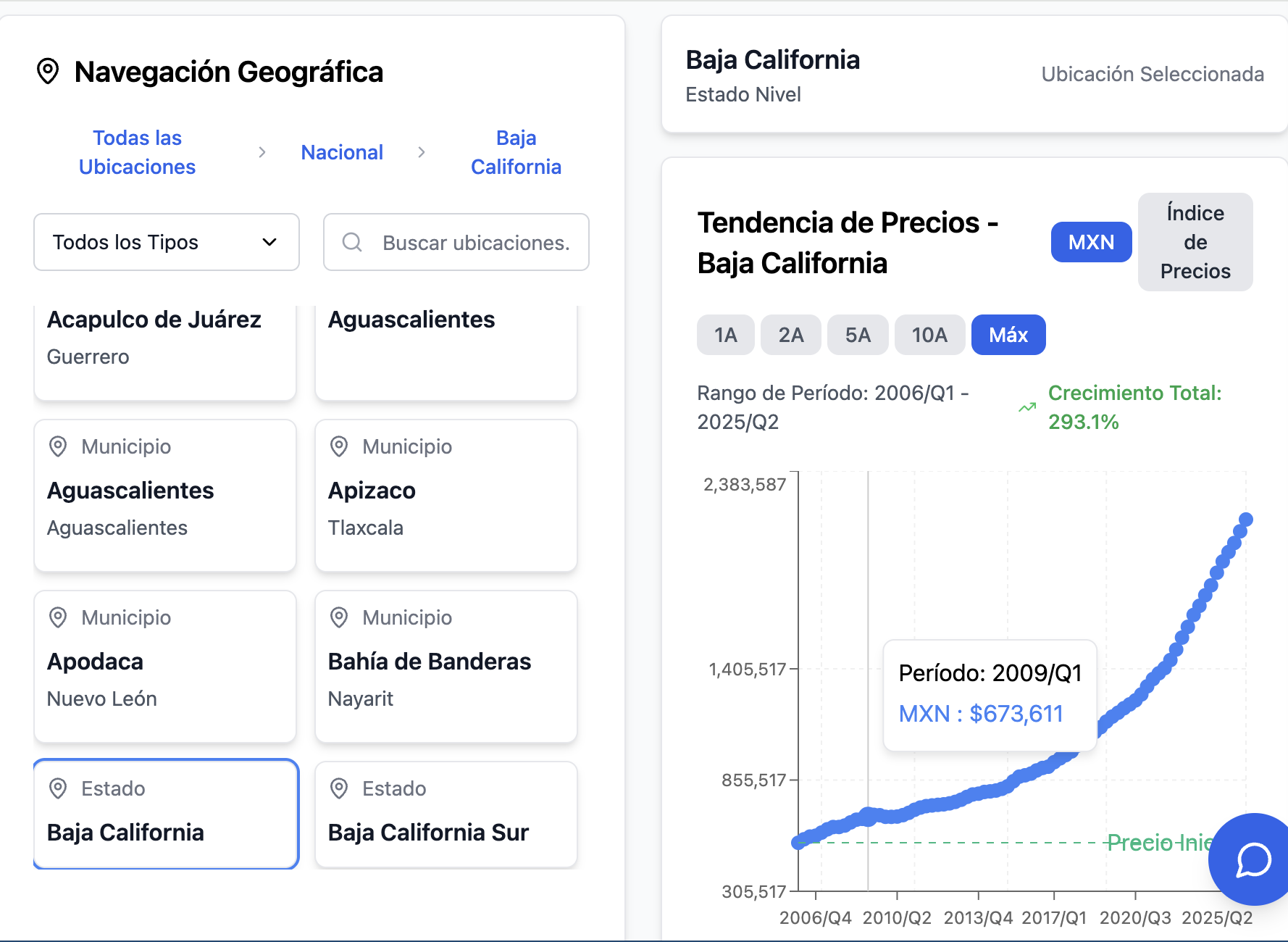
You'll see two panels. On the left is the Geographic Navigator—this is where you drill down from national level to state to municipality. On the right is where your charts appear once you select a location.
Start broad, then go specific. I usually check national trends first to understand the macro picture, then zoom into the state I'm interested in, and finally compare individual municipalities or neighborhoods.
- Click any state name to see its historical price trend
- Expand a state to reveal all its municipalities
- The selected location appears highlighted in blue
- Charts load automatically when you click a location
Understanding the Price Chart: Index vs MXN Mode
Here's something that confuses a lot of first-time users. The chart has two display modes: MXN and Index.
MXN mode shows you estimated peso prices—what a typical property in that area would cost. This is calculated using the price index multiplied by a national anchor price. It's intuitive and easy to understand.
Index mode shows the raw SHF price index value. This is better for comparing appreciation rates between locations because it normalizes everything to a common baseline. A location that went from 100 to 200 doubled in value—regardless of whether that's a $1 million peso condo or a $5 million peso house.
Use MXN mode when you want to know actual price levels. Use Index mode when you're comparing growth rates between different areas.
National anchor price (2025)
$1,862,524 MXN
Current national index
191.89
Time Period Selection: 1Y, 2Y, 5Y, 10Y, and Max
The time period buttons let you zoom in or out on different market cycles.
If you're buying for the short term (1-3 years), look at the 1Y and 2Y views. These show recent momentum. Is the area accelerating or slowing down? Are prices plateauing?
For long-term investment, the 10Y and Max views matter more. You'll see how the area performed through the 2008-2009 crisis, the 2015 peso devaluation, and the COVID pandemic. Areas that recovered quickly from these shocks are generally more resilient.
I personally always check Max first to understand the full picture, then zoom into 5Y to see the current cycle.
- 1Y: Recent 12-month momentum—good for timing purchases
- 2Y: Short-term trend including seasonal patterns
- 5Y: Medium-term investment horizon view
- 10Y: Long-term appreciation including one full market cycle
- Max: Full 20+ year history showing multiple cycles
Filtering by Property Type
Not all properties appreciate at the same rate. In some areas, condos outperform houses. In others, it's the opposite.
When data is available, you'll see a property type dropdown in the top right of the chart. Options include departamentos (apartments/condos), casas (houses), and all property types combined.
This matters a lot in cities like Mexico City where condo development has exploded in certain neighborhoods. View Roma Norte prices has seen massive condo construction, while nearby Explore Coyoacán remains predominantly houses.
If the filter doesn't appear, it means there's only combined data available for that location. This is common at the state level—granular property type data is usually only available at municipality level and below.
Reading the Growth Rate Indicator
At the top of each chart, you'll see a growth percentage with a green (up) or red (down) arrow.
This shows the total appreciation over your selected time period. If you're looking at 10Y data and see +156%, that means prices have more than doubled in a decade.
But here's the thing most people miss. High growth isn't always good.
If an area grew 80% in just 2 years, that's probably a bubble. Markets that appreciate too fast tend to correct. Look for steady 5-10% annual growth over long periods—that's sustainable appreciation you can count on.
Healthy annual appreciation
5-10% per year
Warning sign
30%+ growth in a single year
Comparing Multiple Locations: How to Do It Right
The trick to using PropTrenz effectively is comparing locations systematically.
Open two browser tabs. In the first, load one location. In the second, load another. Set both to the same time period (5Y or 10Y works best) and the same display mode (Index is better for comparisons).
What you're looking for: similar growth rates with different price levels. If one area grew 45% over 5 years and another grew 48%, but the latter costs 30% less per square meter, that's a potential value opportunity.
Also compare how areas responded to shocks. Pull up the Max view and look at 2020. Areas that dipped hard during COVID and haven't recovered might have structural problems. Areas that barely noticed the pandemic have strong underlying demand.
Using Price Trends for Investment Timing
Timing matters in real estate. Buy at the bottom of a cycle and you could see 50%+ appreciation in just a few years. Buy at the top and you might wait a decade to break even.
Here's how to use the charts for timing. Pull up the Max view and look for the overall pattern. Mexican real estate tends to follow 7-10 year cycles.
If you see prices have been climbing steadily for 8-9 years without a pause, be cautious. That doesn't mean don't buy—it means negotiate harder and don't overpay.
If prices have been flat or declining for 2-3 years after a run-up, that might be the bottom of a correction. Those are often the best buying opportunities.
Average Mexico cycle length
7-10 years peak to peak
Best buying window
2-3 years after a correction starts
Combining Price Trends with Rent Data
Price appreciation is only half the story. For rental investors, you also need to understand rental yields.
PropTrenz has both purchase price maps and rent price maps. Use them together.
If an area shows strong price appreciation but rents are flat, yields are compressing. That's a warning sign for buy-to-rent investors—you're paying more for the same rental income.
Conversely, if rents are rising faster than purchase prices, yields are expanding. That's a signal that demand is real and sustainable. Explore CDMX rental prices map to see current rent levels across the city.
- Cross-reference appreciation data with current rental rates
- Calculate gross yield: annual rent ÷ purchase price
- Healthy rental yields in Mexico: 5-8% gross annually
- If yields drop below 4%, prices may have gotten ahead of fundamentals
Beyond Mexico City: Analyzing Secondary Markets
The most interesting opportunities often aren't in Mexico City. Cities like View Guadalajara trends, View Monterrey trends, and View Mérida trends have shown remarkable growth.
Use the state-level selector first. Explore Jalisco gives you the macro view before drilling into specific municipalities.
Beach markets like View Cancún area trends (Cancún) and Explore Quintana Roo have unique patterns—they're more volatile because they depend on tourism and foreign buyer sentiment.
Industrial corridors like View San Pedro trends and Explore Nuevo León track more closely with manufacturing and nearshoring trends.
Common Mistakes to Avoid When Reading Price Trends
I've seen smart people make dumb mistakes with this data. Here's what to watch out for.
First, don't confuse index points with percentages. If the index went from 150 to 180, that's a 20% increase, not 30 points. Always calculate the actual percentage change.
Second, short-term noise doesn't mean much. A single quarter dip could be seasonal or data anomaly. Look at the overall trend over multiple years before drawing conclusions.
Third, past performance doesn't guarantee future results. An area that appreciated 15% annually for a decade might have reached its ceiling. Always ask yourself: what will drive future growth here?
- Don't panic over single-quarter declines
- Remember that price indices are adjusted for quality—not just raw prices
- Consider infrastructure changes (new metro lines, highways) that could shift demand
- Account for currency effects if you're investing in USD
- Verify with on-the-ground research before making final decisions
Putting It All Together: A Pre-Purchase Analysis Workflow
Here's my exact workflow when I'm evaluating a property purchase using PropTrenz.
Step 1: Check the national trend to understand the overall market cycle. Are we in expansion, plateau, or correction mode?
Step 2: Pull up the state trend for my target area. Is the state outperforming or underperforming the national average?
Step 3: Drill into the specific municipality. How does its growth compare to neighboring municipalities?
Step 4: If available, filter by property type (condo vs house) to match what I'm actually buying.
Step 5: Compare 5Y and 10Y views to understand both recent momentum and long-term trajectory.
Step 6: Cross-reference with the rent map to calculate potential yields.
This takes about 15 minutes. It could save you hundreds of thousands of pesos by revealing overpriced markets or hidden gems.
Want to invest in Mexican real estate?
Connect with a vetted real estate professional who can help you every step of the way.
47 investors got connected last month 🤝
Frequently asked questions
Related Articles
Continue reading with these related guides
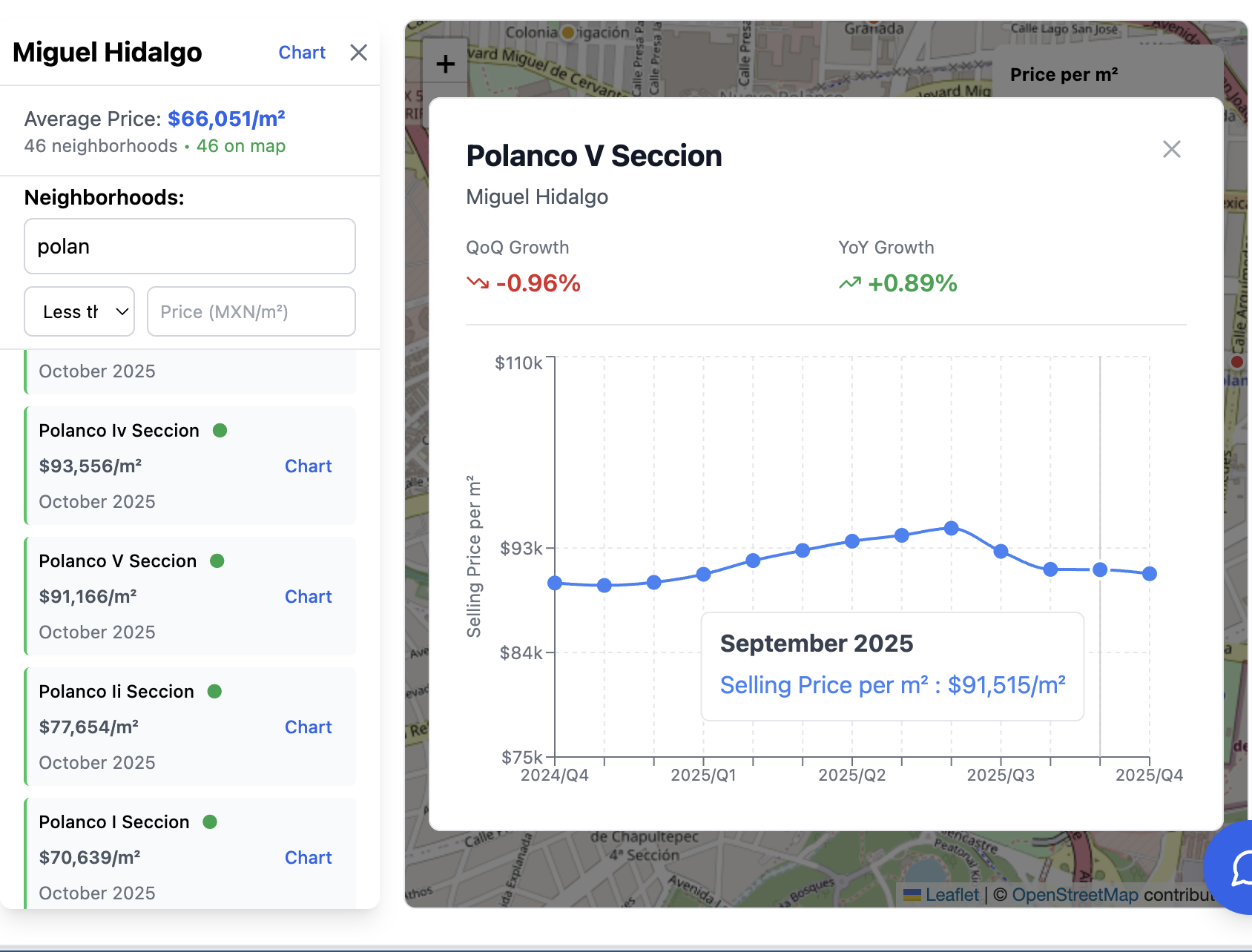
How to Use the PropTrenz Purchase Price Map to Find Property Values Across Mexico
Master PropTrenz's purchase price map to compare real estate values across 500+ neighborhoods and find undervalued properties before other buyers.
Read more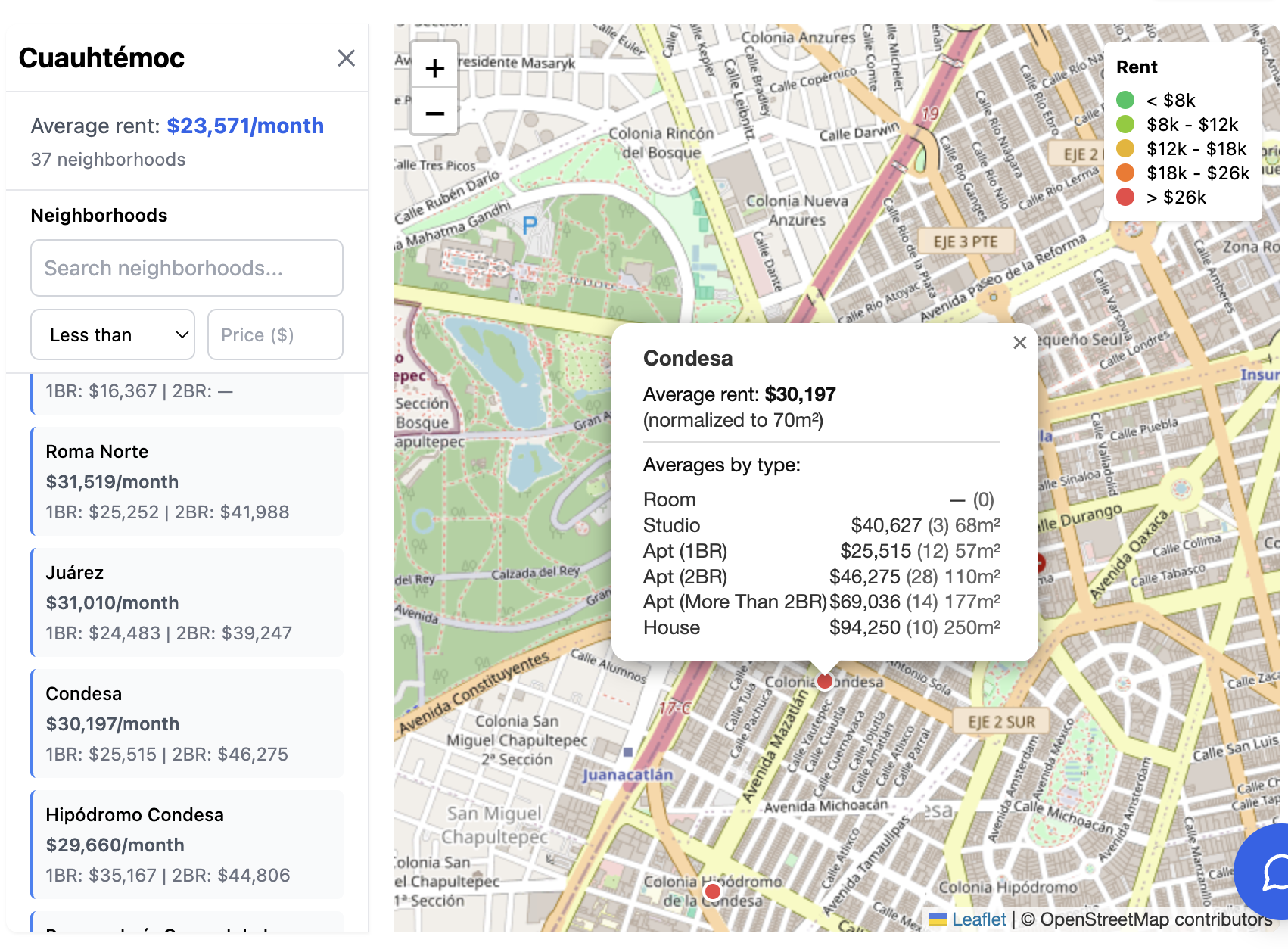
How to Use the PropTrenz Rent Price Map to Find Affordable Neighborhoods in Mexico
Master PropTrenz's rent map to compare rental prices across 500+ neighborhoods and find the best value for your budget in Mexico.
Read more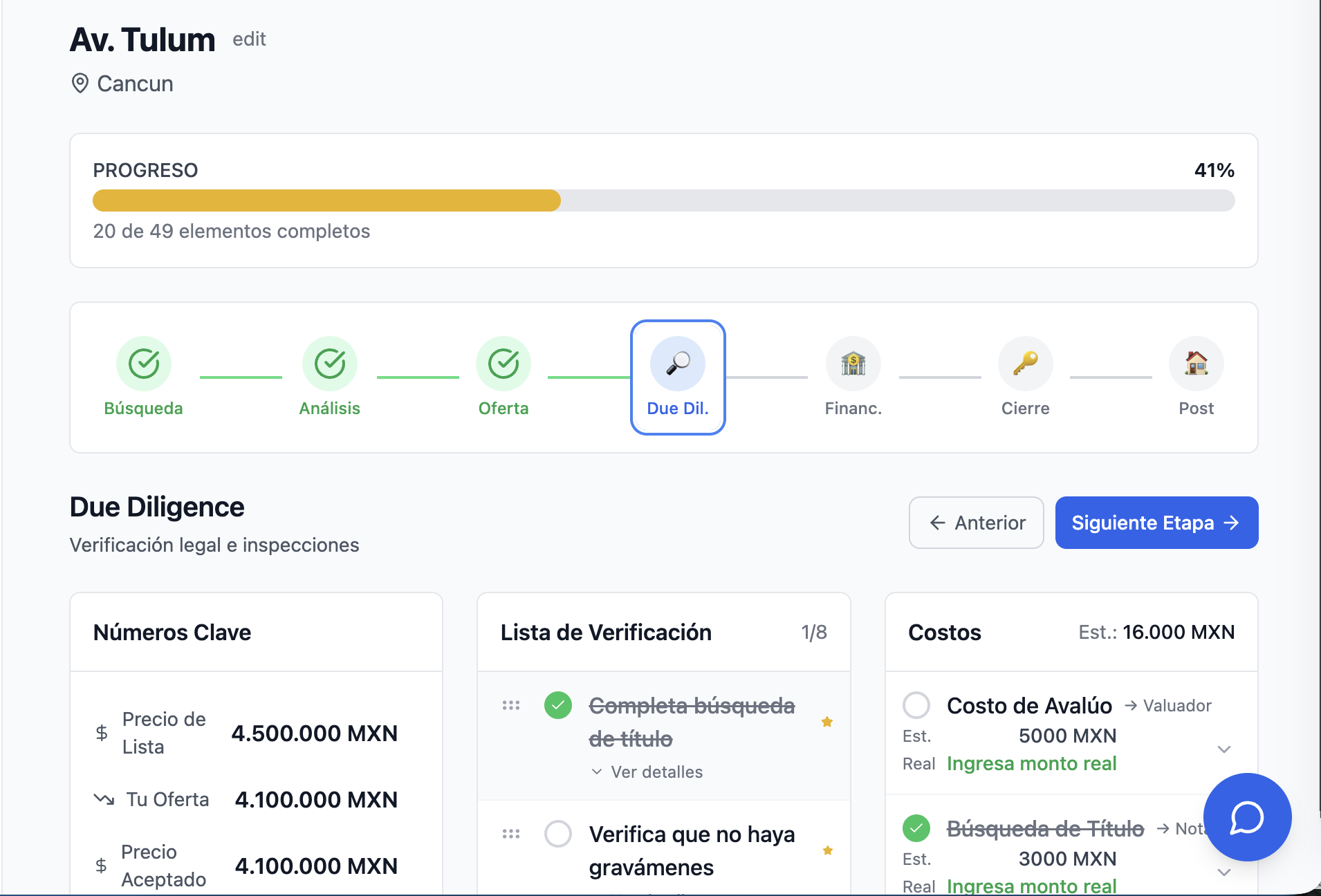
How to Use PropTrenz Transaction Manager: Your Complete Property Purchase Companion
Stop juggling spreadsheets and sticky notes—track your entire property purchase journey in one place.
Read more