Why You Need a Transaction Manager When Buying Property in Mexico
Buying property in Mexico isn't like buying a car. There are seven distinct stages, dozens of documents, multiple government offices, and costs that pop up when you least expect them. Most buyers I talk to feel overwhelmed by week two.
Here's the thing. The process isn't actually that complicated once you break it down. The problem is keeping track of everything. What did the notary say about the ISAI tax? Did I already get the water no-debt certificate? When is the bank appraisal scheduled?
That's exactly why we built the Transaction Manager. It's not a generic task list. It's a Mexico-specific, stage-by-stage system that tells you exactly what to do, when to do it, and how much it'll cost.
Think of it as having an experienced buyer's agent in your pocket—one who's closed hundreds of deals and knows every step by heart.
- Track purchases AND sales with dedicated checklists for each transaction type
- Pre-built templates based on real Mexican property transactions—not generic advice
- Automatic cost estimates that update when you enter your property price
- Notes and timeline to record calls, meetings, and key decisions
- Works in English, Spanish, and Chinese—switch languages anytime
Getting Started: Creating Your First Transaction
Starting a new transaction takes about 30 seconds. Head to your Transactions page and click "New Transaction." You'll see a simple wizard that asks three questions.
First: are you buying or selling? This matters because the stages are different. Buyers go through Search → Analysis → Offer → Due Diligence → Financing → Closing → Post-Closing. Sellers have a streamlined flow: Listing → Offer → Gather Documents → Closing → Post-Closing.
Second: what type of property? House, apartment, land, commercial, or other. This helps customize some checklist items.
Third: property details. This is optional. If you already have a specific property, enter the address, neighborhood, city, and listing price. Don't have one yet? Skip it. You can add details later as your search narrows down.
Click "Create Transaction" and you're in. Your personalized dashboard loads with your first stage already set up.
- Free users can track one active transaction—perfect for first-time buyers
- Paid subscribers can track unlimited transactions simultaneously
- You can pause, resume, or delete transactions anytime
- All your data is private and secured with row-level security in our database
The 7 Stages of Buying Property in Mexico (And What Happens in Each)
The Transaction Manager breaks down your purchase into seven logical stages. Each stage has its own checklist, documents, and costs. Let me walk you through what happens at each one.
Stage 1: Property Search. This is where you define what you want, set your budget, get pre-approved for a mortgage, research neighborhoods, and create a shortlist. Most people spend 2-4 weeks here.
Stage 2: Analysis. Found a property you like? Now you dig deeper. Compare market prices, calculate total costs (not just the listing price), visit the property, and check its history. This is your last chance to spot red flags before making an offer.
Stage 3: Offer & Negotiation. Time to make your move. Determine your offer price, prepare the offer letter, submit it, negotiate, sign the promesa de compraventa (preliminary agreement), and pay your earnest deposit. Typically 10-20% of the purchase price.
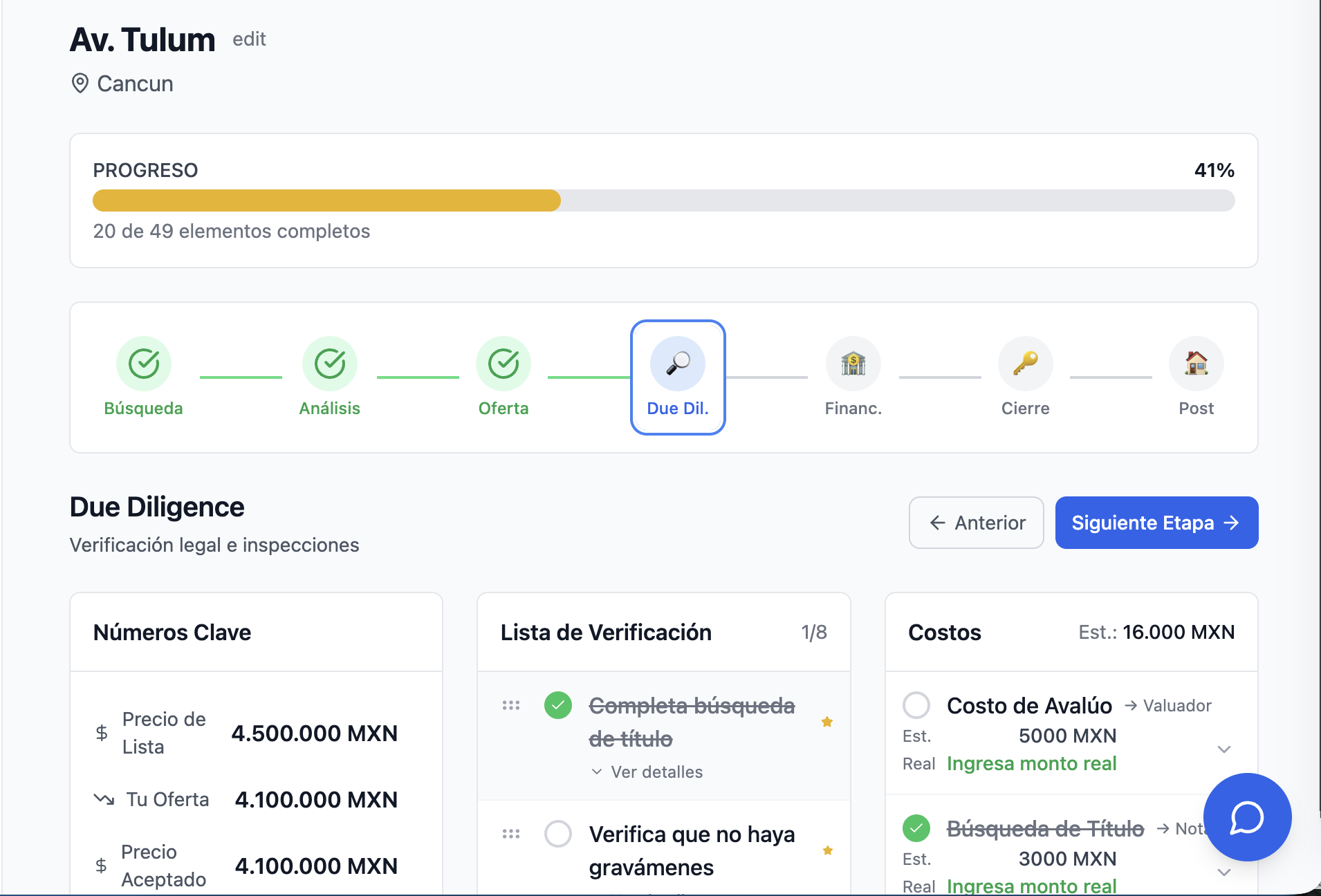
Stage 4: Due Diligence. Now you verify everything. Title search, lien check, property appraisal, structural inspection, permit verification, predial (property tax) status, utility debts, and HOA status. This is where the notary gets involved.
Stage 5: Financing. If you need a mortgage, this is where you compare options, gather documents, submit your application, complete the bank's appraisal, get approval, and sign the mortgage contract. Cash buyers can skip this stage entirely.
Stage 6: Closing. The finish line is in sight. Select your notary, review the escritura (deed), prepare funds, do a final walkthrough, sign everything, pay closing costs, and receive your keys.
Stage 7: Post-Closing. You own the property, but there's still work to do. Register it with the public registry, transfer utilities, update predial records, notify the HOA, get insurance, and change the locks. You'll also wait 2-6 months for the notary to deliver your registered deed.
- Click any stage in the progress bar to jump directly to it
- Completed stages show a green checkmark—satisfying to see your progress
- Each stage shows typical duration so you can plan your timeline
- The mobile view shows a compact progress indicator that expands on tap
Using the Stage Checklist: Never Forget a Critical Step
Each stage has a pre-built checklist of tasks. These aren't random—they're based on real Mexican property transactions. Required items are marked with a star.
For example, in the Due Diligence stage, you'll see: Complete title search, Verify no liens, Get property appraisal, Structural inspection, Verify permits, Check predial payments, Check utility debts, and Check HOA status.
Click the circle next to any item to mark it complete. The overall progress bar updates instantly. There's something deeply satisfying about watching that percentage climb.
Need to add something custom? Click "Add custom item" at the bottom. Maybe your property has a special situation—solar panels to transfer, a garage with a separate title, or a pending permit. Add it to your checklist so you don't forget.
You can also reorder items. Just drag and drop them into the sequence that makes sense for your deal. Maybe you want to do the structural inspection before the title search. That's your call.
- Each item has a detailed description—click to expand and see what's involved
- Mark items complete on your phone while you're at the notary's office
- Custom items you add are saved permanently to your transaction
- Drag the grip handle to reorder items based on your actual timeline
- Required items are marked with a yellow star—prioritize these first
Cost Tracking: Know Exactly What You'll Pay Before You Pay It
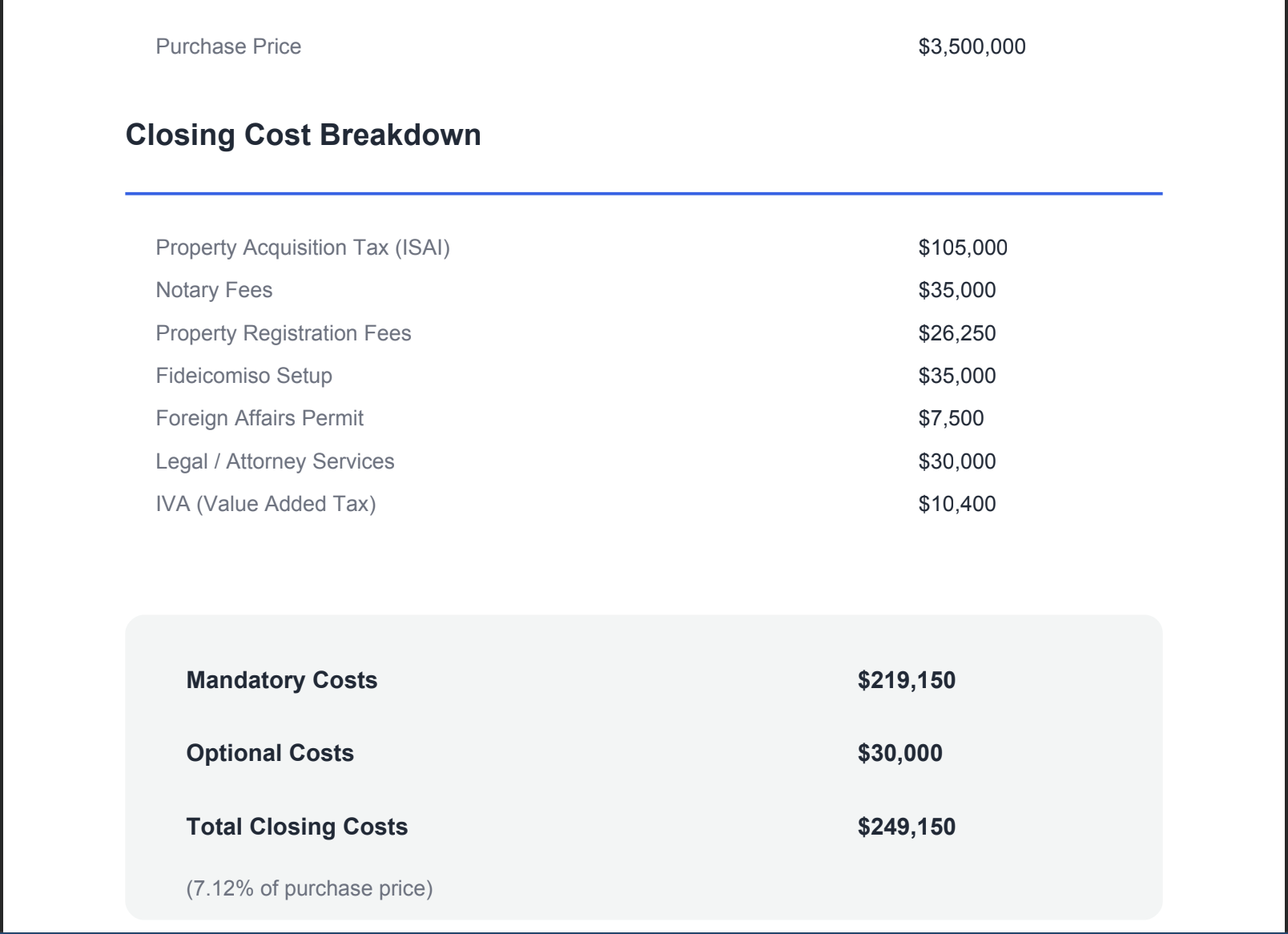
This is where the Transaction Manager really shines. Buying property in Mexico involves a lot of costs beyond the purchase price. ISAI tax (3-5% depending on state), notary fees (around 1%), registration fees, appraisals, inspections, and more.
The Transaction Manager pre-populates estimated costs for each stage. Enter your property price, and the percentages calculate automatically. A $5,000,000 MXN property? Your ISAI tax is approximately $150,000 MXN. Notary fees around $50,000 MXN. It's all there.
As you go through the process, update the estimates with actual amounts. The notary quoted $65,000 instead of $50,000? Enter the real number. Now you're tracking actual vs. estimated, so you know exactly where your money went.
Mark costs as paid when you pay them. The system tracks paid date and payment method. At the end, you'll have a complete record of every peso spent—useful for taxes and for your own peace of mind.
- Costs are categorized by who you pay: notary, government, bank, agent, etc.
- Add custom costs for anything not in the templates—moving expenses, furniture, renovations
- See running totals: estimated total and actual total per stage
- Percentage-based costs auto-recalculate when you update the property price
- Delete costs that don't apply to your situation—buying with cash? Remove mortgage costs
Key Numbers: Track Your Financials at a Glance
At the top of your transaction dashboard, you'll see Key Numbers. This is where you track the big figures: listing price, your offer, accepted price, down payment, mortgage amount, interest rate, and term.
Here's a cool feature. Enter your listing price, offer price, and accepted price, and the system automatically calculates your negotiated discount. Got the seller to drop from $6,000,000 to $5,500,000? That's an 8.3% discount. Nice work.
For mortgage buyers, enter your loan amount, interest rate, and term, and you'll see your estimated monthly payment calculated instantly. No need to open a separate calculator.
All these numbers flow into the cost calculations. Your down payment, final payment, and mortgage origination fees all reference the prices you enter here.
- Click any number to edit it inline—no separate forms to fill out
- Interest rate accepts both percentage (7%) and decimal (0.07) formats
- Monthly payment uses standard amortization formula for accuracy
- Price gap shows how much you negotiated off the listing price
- All numbers are formatted in MXN with proper thousand separators
Notes & Timeline: Your Transaction Journal
Real estate transactions involve a lot of conversations. Calls with your agent, emails from the notary, meetings with the bank. Six months from now, you won't remember what was said. That's what Notes are for.
Add notes as you go. Had a call with the seller's agent about repairs? Log it. The notary sent an email about missing documents? Note it. Made a key decision about the financing? Record it.
Each note is tagged with a type: General, Call, Email, Meeting, or Decision. This makes it easy to filter and find what you're looking for later. The timeline shows everything in chronological order.
This becomes your paper trail. If there's ever a dispute about what was agreed, you have a record. And when you buy your next property, you can look back and remember what worked.
- Notes are tied to your current stage, so you can see what happened when
- Timestamps are localized to your language—"2 hours ago" in English, "hace 2 horas" in Spanish
- Decision notes are highlighted in yellow for easy scanning
- Delete notes you no longer need—we won't judge
- Notes sync across all your devices instantly
Create a free account to unlock this guide
Create a complimentary PropTrenz account to unlock premium due diligence guides.
Get Started
Create Account
Already Have Account